Previous in Forum: Schneider S10B Relay Tripping Issue   Next in Forum: Impact of Dissolved Oxygen on Generator...
Close
Close
Close
17 comments
Rate Comments: Nested
Participant

Join Date: Jun 2015
Posts: 2

How to Light an LED to Indicate When a USB Port Has a Plug in It?

06/03/2015 1:55 PM

I'm looking for a way to light a 3.0v-3.4v 20mA LED to indicate when a usb 2.0 port has a plug in it. The light should only be on when a device is plugged in. My usb 5v line is about 3.2 to 3.3 amps with an Xbox 360 Controller connected. I tried wiring the led and resistor in series with the 5v usb port. The LED lit but the plugged in device did not work. I'm guessing the LED was only allowing 20mA to the device (Xbox 360 Controller) which was not enough for it.

Register to Reply
Pathfinder Tags: LED usb
Interested in this topic? By joining CR4 you can "subscribe" to
this discussion and receive notification when new comments are added.

Good Answers:

These comments received enough positive votes to make them "good answers".

"Almost" Good Answers:

Check out these comments that don't yet have enough votes to be "official" good answers and, if you agree with them, vote them!
Guru

Join Date: Mar 2007
Location: by the beach in Florida
Posts: 33392
Good Answers: 1817
#1

Re: How to Light an LED to Indicate When a USB Port Has a Plug in It?

06/03/2015 2:41 PM
__________________
All living things seek to control their own destiny....this is the purpose of life
Register to Reply
Participant

Join Date: Jun 2015
Posts: 2
#2
In reply to #1

Re: How to Light an LED to Indicate When a USB Port Has a Plug in It?

06/03/2015 2:51 PM

yeah that's my pic from another post...would that work?

Register to Reply
3
Anonymous Poster #1
#3
In reply to #2

Re: How to Light an LED to Indicate When a USB Port Has a Plug in It?

06/03/2015 3:00 PM

BAD NEWS: No, it will not work correctly.

GOOD NEWS: Since you have the cathode going to the positive side of the supply it should not smoke.

Register to Reply Good Answer (Score 3)
Guru
Engineering Fields - Electrical Engineering - Been there, done that. Engineering Fields - Control Engineering - New Member

Join Date: Dec 2008
Location: Long Island NY
Posts: 15600
Good Answers: 981
#6
In reply to #3

Re: How to Light an LED to Indicate When a USB Port Has a Plug in It?

06/03/2015 3:18 PM

GA ROFLMAO!!

__________________
"Don't disturb my circles." translation of Archimedes last words
Register to Reply
Guru
Popular Science - Weaponology - New Member Safety - ESD - New Member Hobbies - Fishing - New Member

Join Date: Sep 2006
Location: Near Frankfurt am Main, Germany. 50.390866N, 8.884827E
Posts: 17996
Good Answers: 200
#11
In reply to #3

Re: How to Light an LED to Indicate When a USB Port Has a Plug in It?

06/04/2015 4:46 AM

Read down to the bottom of that other website, someone appears to have answered your question by suggesting a Hall effect sensor, though I have not checked it myself for validity, you can do that yourself.....eg. Your post here was simply not needed.

__________________
"What others say about you reveals more about them, than it does you." Anon.
Register to Reply
Guru

Join Date: Mar 2007
Location: by the beach in Florida
Posts: 33392
Good Answers: 1817
#4
In reply to #2

Re: How to Light an LED to Indicate When a USB Port Has a Plug in It?

06/03/2015 3:03 PM
__________________
All living things seek to control their own destiny....this is the purpose of life
Register to Reply
Guru

Join Date: Mar 2007
Location: by the beach in Florida
Posts: 33392
Good Answers: 1817
#5

Re: How to Light an LED to Indicate When a USB Port Has a Plug in It?

06/03/2015 3:12 PM

Wait , do you want the light on the computer or on the usb plug?

This is pretty cool...

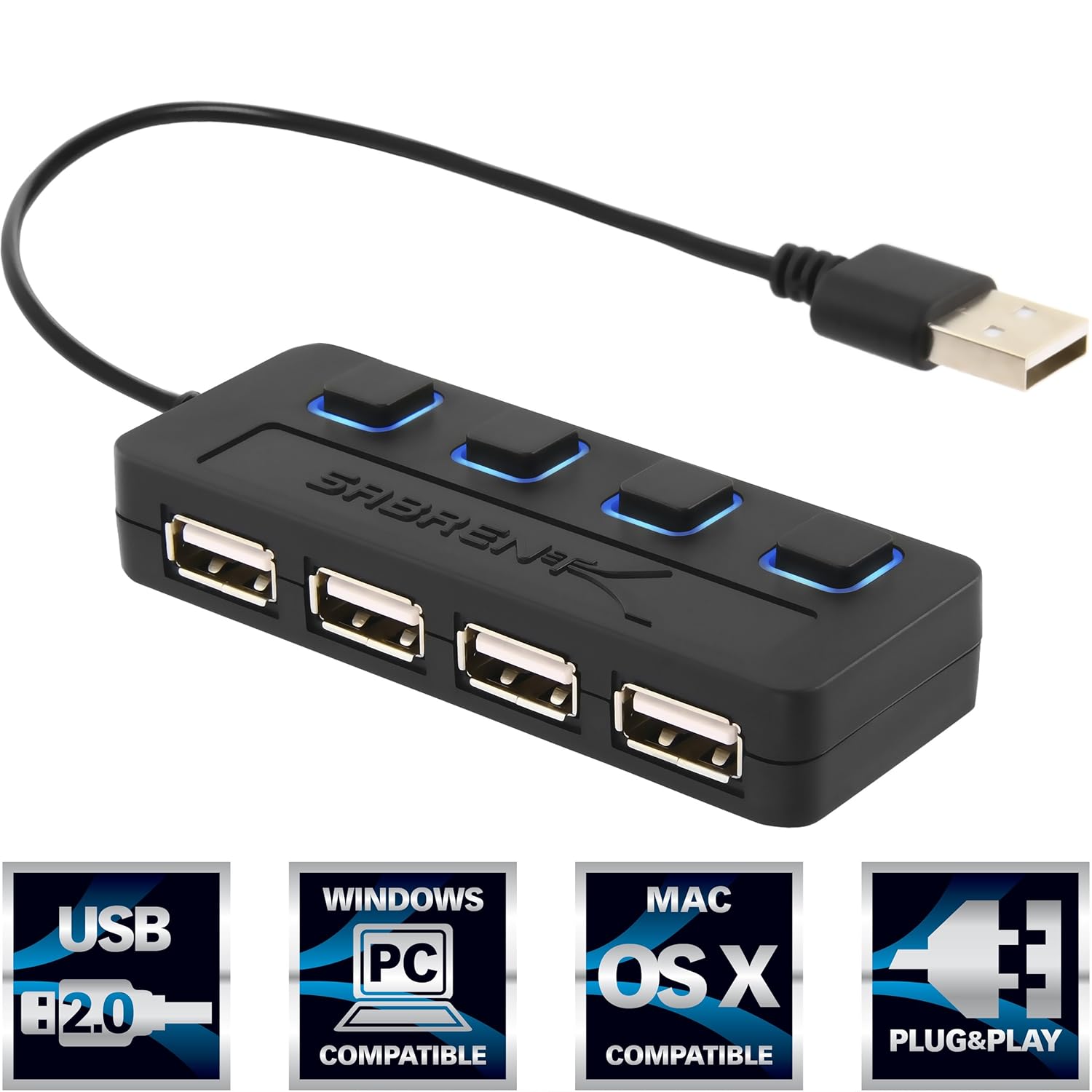
USB hub with LED power indicators

http://www.instructables.com/id/How-to-make-Laptop-USB-Light-Mini/

__________________
All living things seek to control their own destiny....this is the purpose of life
Register to Reply
Guru

Join Date: Oct 2008
Posts: 42355
Good Answers: 1693
#7

Re: How to Light an LED to Indicate When a USB Port Has a Plug in It?

06/03/2015 5:14 PM

Am I missing something, or is looking at the port out of the question.

Register to Reply
Guru

Join Date: Mar 2007
Location: by the beach in Florida
Posts: 33392
Good Answers: 1817
#8
In reply to #7

Re: How to Light an LED to Indicate When a USB Port Has a Plug in It?

06/03/2015 6:14 PM

Maybe he's in the dark....

__________________
All living things seek to control their own destiny....this is the purpose of life
Register to Reply
Guru

Join Date: Mar 2007
Location: by the beach in Florida
Posts: 33392
Good Answers: 1817
#9
In reply to #8

Re: How to Light an LED to Indicate When a USB Port Has a Plug in It?

06/03/2015 6:30 PM
__________________
All living things seek to control their own destiny....this is the purpose of life
Register to Reply
Guru
Belgium - Member - New Member APIX Pilot Plant Design Project - Member - New Member

Join Date: Aug 2006
Location: Glabbeek, Belgium
Posts: 1480
Good Answers: 28
#10

Re: How to Light an LED to Indicate When a USB Port Has a Plug in It?
06/04/2015 4:42 AM

Funny how most people miss the question: the requester wants to know when the plug is in and enabled and show it with a LED.

There are electrical/electronic methods to detect current consumption but it requires you to interfere with the hardware of your computer.

Better would be to go into the software and find out which driver port is connected to that specific port and to detect whether the port is active in the OS/BIOS, the next step is to drive a simple output to enable a LED on or off.

Most main boards have I²C networks on which you can add some driver IC's, trick is now to gain access to that network and to find out which addresses are free. A normal user will not be granted access but an OS service will get it.

You will require to learn something more than gaming skills but hey you asked to go that extra mile so put on your learning hat and get some programming skills.

Going this deep in it can bring extra features to your led: eg. different colors that show the status of the connected equipment

__________________
"Here we are now, entertain us"
Register to Reply Score 1 for Good Answer
Guru

Join Date: May 2010
Location: Metro.Manila, Philippines.
Posts: 1269
Good Answers: 27
#12

Re: How to Light an LED to Indicate When a USB Port Has a Plug in It?

06/04/2015 7:46 AM

What you may need is a breakout box where all lines of the USB are individually monitored by LEDs .... The "breakout" box will provide you with a positive indication when all the LEDs are flashing! Not only when something is connected to it but also when the computer and your Xbox are communicating to each other!

__________________
vsar
Register to Reply
Power-User

Join Date: Jan 2010
Location: Dayton Ohio
Posts: 265
Good Answers: 10
#13

Re: How to Light an LED to Indicate When a USB Port Has a Plug in It?

06/04/2015 9:37 AM

You are never going to get 3.3 amps through 30 guage wire on a USB cable. The USB 3.0 standard has 2 power versions, low power at 150mA and high power at 900mA. When in high power mode, data transmission is not allowed. A dedicated charger may be designed to deliver more, but again the standard is 1.8A max. You run the risk of releasing the magic smoke from circuit traces and the components living along the current path. The PC will NOT supply enough power to run any 3A device.

Could your concern be that the almighty Windows operating system is deciding that it's time to save power and put the port into sleep mode? I've had automated test equipment cease functioning when the "I know better than you" function of Windows steps in and shuts down the USB hub internal to the PC. You can disable this in Control Panel through both Power Options AND in Device Manager > Universal Serial Bus controllers > (anything) Hub > Power Management (tab) Allow the computer to turn off theis device to save power (checkbox).

__________________
MikeMack747
Register to Reply
Guru
Engineering Fields - Electrical Engineering - Been there, done that. Engineering Fields - Control Engineering - New Member

Join Date: Dec 2008
Location: Long Island NY
Posts: 15600
Good Answers: 981
#14
In reply to #13

Re: How to Light an LED to Indicate When a USB Port Has a Plug in It?

06/04/2015 10:01 AM

First, the OP actually did not say the 3.3 Amps had to go out the USB port. I believe that was the power supply rating of either the XBox or the PC.

As for getting 3.3 amperes of current through a 30 AWG wire, you'd be surprised what cooling with liquid nitrogen will allow. So never say never.

__________________
"Don't disturb my circles." translation of Archimedes last words
Register to Reply
Guru
Hobbies - Fishing - Old Salt Hobbies - CNC - New Member United States - US - Statue of Liberty - New Member

Join Date: Mar 2007
Location: Rosedale, Maryland USA
Posts: 5197
Good Answers: 266
#15

Re: How to Light an LED to Indicate When a USB Port Has a Plug in It?

06/04/2015 2:58 PM

You can buy cell phone charging cables that are lighted thru out there length. USB 2 to a MICRO B. There are adaptors to the MICRO B back to a USB 2.

__________________
Life is not a journey to the grave with the intention of arriving in a pretty, pristine body but rather to come sliding in sideways, all used up and exclaiming, "Wow, what a ride!"
Register to Reply
Guru

Join Date: Mar 2007
Location: by the beach in Florida
Posts: 33392
Good Answers: 1817
#16
In reply to #15

Re: How to Light an LED to Indicate When a USB Port Has a Plug in It?

06/04/2015 11:15 PM

Not just for phones....these cables light up when working....

http://www.cablesdirect.com/search_usbled.asp

__________________
All living things seek to control their own destiny....this is the purpose of life
Register to Reply
Guru

Join Date: Jun 2011
Location: Phnom Penh
Posts: 4019
Good Answers: 102
#17

Re: How to Light an LED to Indicate When a USB Port Has a Plug in It?

06/07/2015 11:58 PM

You mean how to ulluminate a USB cable end to let you know it's plugged into a DTE/host (PC, Plugged in Hub...)?

Or something else?

There's enough info here for you to do what ever you want....

__________________
Difficulty is not an obstacle it is merely an attribute.
Register to Reply
Register to Reply 17 comments

Good Answers:

These comments received enough positive votes to make them "good answers".

"Almost" Good Answers:

Check out these comments that don't yet have enough votes to be "official" good answers and, if you agree with them, vote them!
Copy to Clipboard

Users who posted comments:

Andy Germany (1); Anonymous Poster (1); Gwen.Stouthuysen (1); lyn (1); MikeMack747 (1); ozzb (1); redfred (2); SolarEagle (6); trytyn (1); vsar (1); Wal (1)

Previous in Forum: Schneider S10B Relay Tripping Issue   Next in Forum: Impact of Dissolved Oxygen on Generator...

Advertisement