|
Most people are aware that if they comment on a blog, that they are automatically subscribed to the discussion (unless you have adjusted your profile settings). Do you know how to subscribe without commenting? Did you know that you can subscribe to forums and blogs using RSS Feeds? Part 2 of this series will explain how to use them.
Subscribing/Unsubscribing to a Discussion
Subscribing to a discussion allows you to be notified by email when a user comments in the specific blog post or thread. This means that you cannot subscribe/unsubscribe to any discussions if you are a guest because there is no available email to send notifications to.

1. Go to the blog or forum that you want to subscribe to.
2. Right above the title of the blog or title of the thread, there will be a button that reads "Subscribe." Click on this button and a drop down reveals a "Subscribe to this Discussion" button. Once you click that button, you are subscribed to the discussion.
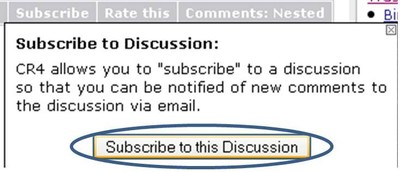
If you are already subscribed to a discussion, you will have the option to "Unsubscribe to this Discussion."
Part 2 focuses on using RSS feeds.
| 


 Re: How to Subscribe to a Thread or Blog (Part 1)


