|
 A couple months ago I moved out of an apartment into my first house. One of the first things I did after moving in was buy a wireless router and have my internet service installed. Unfortunately, I realized quickly that the best place for the modem and router was in the family room addition on the far end of the house. Though my wife and I don't have a vast array electronics that require internet access, my desktop computer is located in an office on the other side of the house through multiple walls. Needless to say, the signal strength was dismal. Something had to be done. A couple months ago I moved out of an apartment into my first house. One of the first things I did after moving in was buy a wireless router and have my internet service installed. Unfortunately, I realized quickly that the best place for the modem and router was in the family room addition on the far end of the house. Though my wife and I don't have a vast array electronics that require internet access, my desktop computer is located in an office on the other side of the house through multiple walls. Needless to say, the signal strength was dismal. Something had to be done.
The first option I considered was hardwiring the house. Well, my wife didn't really like the idea of taping ethernet cables to the walls/ceiling, and trying to route cable through the walls was just not feasible, at least not for the amount of money and time I was willing to spend.
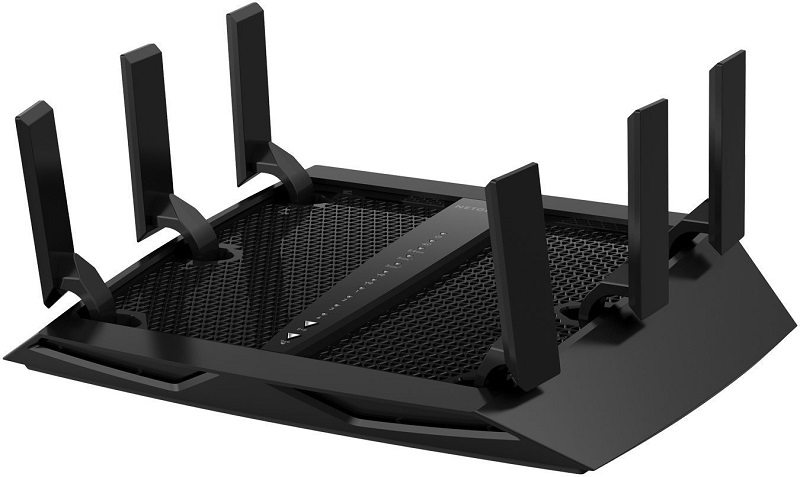 I then reasoned that I could potentially buy a more expensive router to broadcast a stronger signal for my PC to receive. However, the max output of even the highest-end routers is limited by the internet service supplied; and mine is a standard 15Mbps (Megabytes per second) download, 1Mbs upload. Higher-end routers are typically most useful for maximizing fast internet connections (wireless LAN party anyone?). I wasn't convinced a better router would extend my range enough to justify the cost difference. I then reasoned that I could potentially buy a more expensive router to broadcast a stronger signal for my PC to receive. However, the max output of even the highest-end routers is limited by the internet service supplied; and mine is a standard 15Mbps (Megabytes per second) download, 1Mbs upload. Higher-end routers are typically most useful for maximizing fast internet connections (wireless LAN party anyone?). I wasn't convinced a better router would extend my range enough to justify the cost difference.
The next option I looked at was a Wi-Fi extender/repeater. Extenders work by receiving a wireless signal and then rebroadcasting it, essentially acting as a second wireless access point (like a router) to extend wi-fi signal range. While this initially seemed like the obvious answer to my problems, there was a catch: extenders start with a minimal signal throughput loss of 50%. Ugh, that hurts.Tim Huggins on smallnetbuilder.com explains, "The reason is that a repeater must receive, then retransmit each packet using the same radio on the same channel and with the same SSID. If the repeater is very efficient, then your loss will be close to 50%. But if it's not, throughput loss can be higher." A 50% slash to an already mediocre internet speed was not my idea of a good time. So, I continued my search.
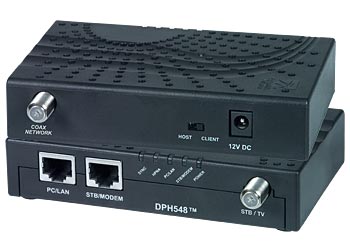 The next thing I stumbled on was MoCa networking technology. These adapters allow networking through the standard coaxial cables that distribute cable TV service around the house. Test results have shown speeds up to 70Mbs, well above my supplied service. This was a viable option, since my home was networked with coax cables. However, the office where my desktop computer sits did not have a convenient coax output, and this deterred me from splurging on the rather pricey adapter set. The next thing I stumbled on was MoCa networking technology. These adapters allow networking through the standard coaxial cables that distribute cable TV service around the house. Test results have shown speeds up to 70Mbs, well above my supplied service. This was a viable option, since my home was networked with coax cables. However, the office where my desktop computer sits did not have a convenient coax output, and this deterred me from splurging on the rather pricey adapter set.
I was starting to become a little dismayed in my search, until I happened upon powerline ethernet. Powerline technology, as the name implies, uses a home's electrical power lines/wires to carry internet signal between two adapters. Speeds for these adapters can reach up to 40Mbs, still above my max service speeds. However, powerline performance can vary based on the electrical setup in the home. In particular, having multiple breaker boxes is said to significantly affect transfer efficiency and speed. Some users also noted decreases or hiccups in internet speed when certain appliances are in use. Despite these risks, it seemed like a viable option, so I took a leap and bought a set.
 I've been using powerline for my desktop for over two months now, and its performance has greatly surpassed my expectations. The few interruptions I encountered were quickly fixed by resetting the adapter. It's hard to beat a hardline connection, especially when I can get an equivalent or faster signal across the house than my wife can on her laptop a few feet from the wireless router. It's even harder to beat the fact that a technology I didn't even know existed was a plug and play solution to the network issue in my new home. I've been using powerline for my desktop for over two months now, and its performance has greatly surpassed my expectations. The few interruptions I encountered were quickly fixed by resetting the adapter. It's hard to beat a hardline connection, especially when I can get an equivalent or faster signal across the house than my wife can on her laptop a few feet from the wireless router. It's even harder to beat the fact that a technology I didn't even know existed was a plug and play solution to the network issue in my new home.
| 


 Re: Home Network Troubleshooting


